
Introduction
When you walk into a high-end boutique, a modern museum, or a sleek corporate lobby, the first thing that usually catches your eye is the signage. It is not just about the name on the wall; it is about how that name glows, how the edges catch the light, and how perfectly every single letter is shaped. Achieving that level of perfection requires a mix of artistry and specialized machinery, which is where Laser Cutting & Engraving comes into play. If you have ever wondered how raw sheets of plastic, wood, or metal get transformed into jaw-dropping visual exhibits, you are in the right place. Far from being a rigid industrial process, using a laser is more like wielding a hyper-precise paintbrush made of pure light. In the world of custom signage and visual presentations, mastering the nuances of Laser Cutting & Engraving is the ultimate secret to turning a basic concept into a three-dimensional masterpiece.
Setting Up Your Laser Cutting & Engraving Toolkit
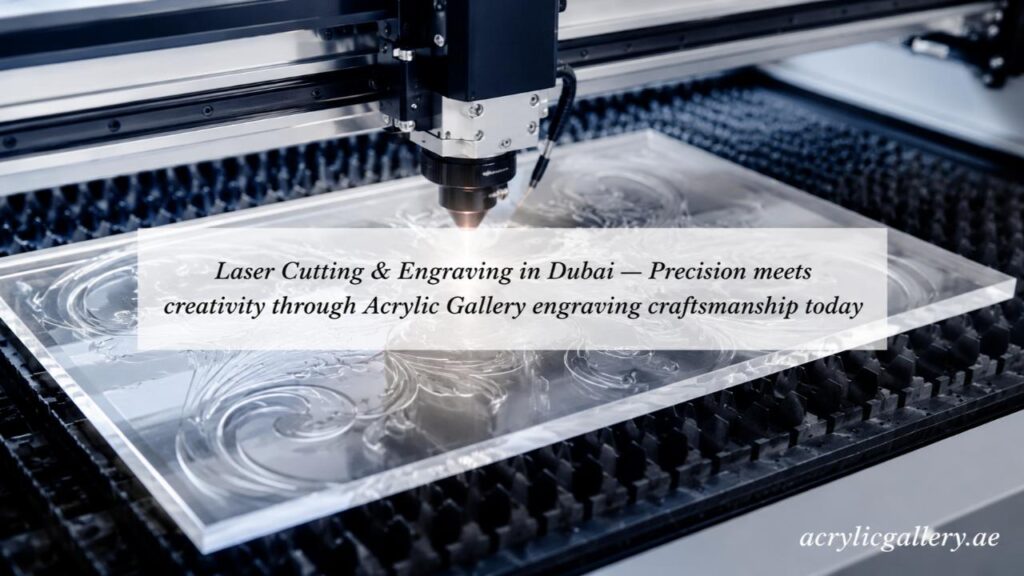
Before diving into the actual making of a project, it helps to understand what is happening inside the machine. Think of a laser machine as a highly obedient assistant that follows a digital map you draw on your computer. You feed it a graphic file, and it uses a concentrated beam of light to either slice completely through a material or just gently scratch the surface.
Note: Acrylic Gallery Display Products LLC is your trusted provider for professional Laser Cutting & Engraving in Dubai, delivering unmatched accuracy for industrial and creative projects alike. We specialize in intricate detailing on acrylic, wood, and metadata media. Elevate your brand presentation and request a customized quote from us.
To get the best results, you need to match your material with the right type of machine.
- CO2 Lasers: These are the workhorses for organic materials. If you are working with acrylic, wood, leather, or glass, this is your go-to option. They are incredibly smooth when slicing through plastics, giving you that coveted polished edge.
- Fiber Lasers: These are designed for the tough stuff. If your display project requires crisp lines on brass, aluminum, or stainless steel, a fiber laser will etch or slice through it without breaking a sweat.
The real trick to creating a flawless display is balancing two main settings: speed and power. If you crank the power too high and move too slowly, you might melt your plastic or burn your wood. On the flip side, if you go too fast with low power, the machine won’t cut all the way through, leaving you with a ruined sheet of material. It is all about running a few test scraps first to find that sweet spot.
Advanced Design Strategies for Laser Cutting & Engraving
Creating a flat, 2D shape is a great start, but the real magic happens when you start thinking in three dimensions. Custom displays need to pop, and you achieve that by layering different materials and using clever joinery. Instead of relying on messy glues or ugly screws, you can design your pieces to snap together like a puzzle.
One of the coolest methods for making a display look expensive is vector scoring. Instead of blasting all the way through the material, you drop the power down so the laser just draws a razor-thin line on the surface. This is perfect for creating guidelines where other pieces need to be glued down, or for adding subtle geometric patterns that catch the light.
When it comes to making text stand out, you also have to choose between raster engraving and vector cutting. Rastering is like desktop printing; the laser head moves back and forth rapidly, creating a frosted or recessed area on the material. Vector cutting follows a continuous path, which is much faster and gives you those clean, sharp individual letters that you can mount off the wall for a floating effect.
The Secret to Multi-Layered Displays
If you want to take your work to the next level, try the layering technique. By stacking different colored materials on top of each other, you create depth that instantly draws people in.
- The Base Layer: Use a thick, sturdy material like clear acrylic or dark wood to act as your canvas.
- The Mid-Ground: Cut out intricate patterns or frames that border your main message.
- The Foreground: Place your highly detailed, engraved letters or logos right on top.
- The Lighting Element: Leave a small gap in the back to hide LED strips, making the entire assembly glow from within.
Prepping Materials for Flawless Laser Cutting & Engraving
You can have the best design in the world, but if your material is dirty or reacts poorly to the heat, the final product will look sloppy. Acrylic is the absolute king of the display world because of how it reacts to lasers. When the beam hits acrylic, it literally vaporizes the plastic, leaving behind a flame-polished edge that looks like glass.
However, you have to be careful with flashbacks. When the laser cuts through the material and hits the metal honeycomb bed underneath, the light can bounce back and leave ugly burn marks on the underside of your project. To prevent this, many builders leave the protective paper masking on the material while it cuts, or they use special pins to lift the material slightly off the bed.
Wood is another fantastic choice for an organic, rustic vibe, but it comes with its own set of rules. Because wood is a natural product, the grain density changes throughout the sheet. An engraving might look dark in one spot and light in another. Choosing consistent, high-quality plywood or MDF with a nice veneer usually yields the most predictable, clean results.
Perfecting the Finishing Touches in Laser Cutting & Engraving
Once the machine finishes its job and the smoke clears, you are left with your raw pieces. This is where a good project becomes a great one. If you worked with wood, a light sanding will remove any sticky resin or smoke stains left around the edges. For acrylic, a quick wipe down with a microfiber cloth and a gentle cleaner will make it sparkle.
Color filling is another advanced trick that adds a massive amount of value to an engraved sign. After you engrave a deep pocket into a piece of clear or colored acrylic, you can flood that recessed area with acrylic paint. Once the paint dries, you scrape away the excess from the smooth surface, leaving behind a perfectly colored, permanent logo or text that looks incredibly professional.
Another thing to keep in mind is the cooling process. Materials expand slightly when they get hot under the laser. If you try to assemble interlocking tabs the second they come out of the machine, they might stick or crack. Giving your pieces a few minutes to acclimate to room temperature ensures everything fits together exactly how you planned it on your computer screen.
Conclusion
Building custom displays is a beautiful blend of digital precision and hands-on craftsmanship. By understanding how your machinery interacts with different media, you can transform basic sheets of plastic and wood into striking visual experiences that demand attention. Every project is an opportunity to experiment with depth, light, and texture. When you are ready to bring these complex designs to life without the guesswork, partnering with an industry leader like Acrylic Gallery Display Products LLC ensures that your custom creations are executed with flawless precision and unmatched quality from start to finish.